CarGurus News
7 Exciting Product Updates in Q3'24
We're excited to share the product updates we've made to improve your CarGurus experience. Let's dive into the highlights of what’s new and improved.
NEW: Access more custom reports!
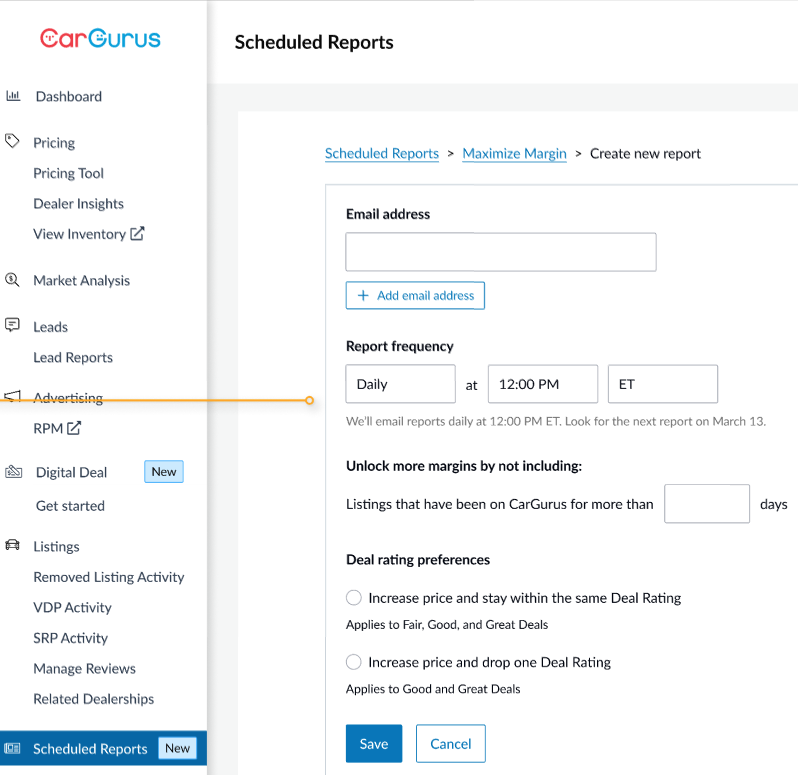
You can now receive up to 4 data reports to help you improve your turn time and margin based on your inventory strategy and your local market. Reports can easily be set up in your Dashboard Scheduled Reports tab and automatically emailed when you want to receive them. The report recommendations span across pricing, acquisition, and merchandising:
- NEW: Merchandising Health report - Get alerts when you're missing photos and details that can increase leads on your listings (available for Enhanced, Featured+, Featured Priority+)
- NEW: Maximize Margin report - Know when to raise prices when there’s opportunity to improve margin without impacting listings visibility (available to Featured+ or Featured Priority+ dealers)
- Acquisition Insights report - Improve your turn time with inventory acquisition recommendations based on your market’s activity (available to Featured+ or Featured Priority+ dealers; mentioned in Q2'24 and Q1'24 recaps)
- Next Best Deal Rating report - Improve your VDP views by 40% and turn time by 35% with specific price change recommendations* (available to Enhanced, Featured+ or Featured Priority+; mentioned in Q3'23 recap)
Make sure to set up your reports today or contact your Account Manager for help. We look forward to hearing your feedback on how we can provide more impactful insights for your business.
*Source: CarGurus data of vehicles that changed price based on NBDR recommendation compared to vehicles without an NBDR-informed price change from August 2023 through May 21, 2024
4 Additional Dashboard Enhancements
1. Re-send leads to your CRM
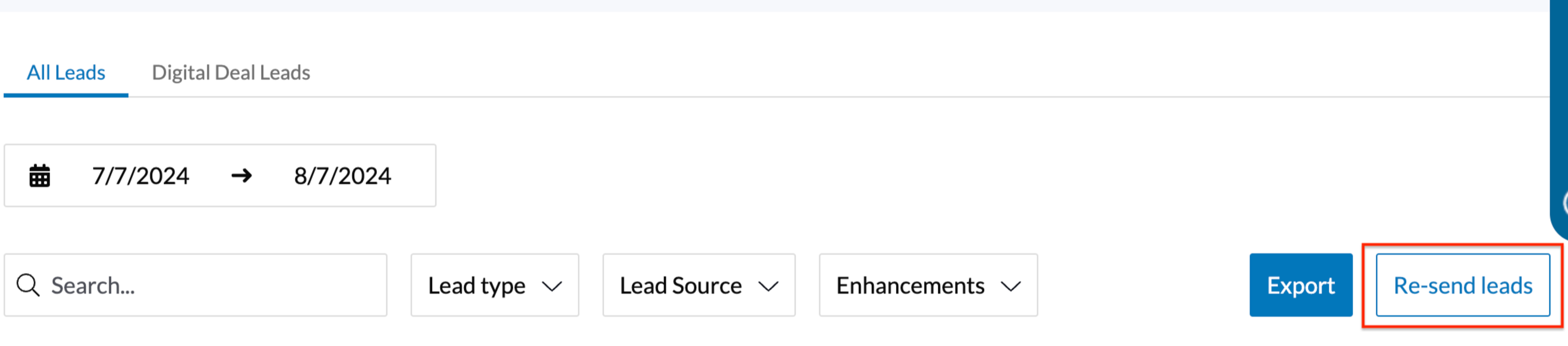
If you were impacted by the CDK outage in June, this update is especially for you! To re-send CarGurus email leads to your CRM, you can right from your Lead Reports. Just select a time period and click “Re-send leads”. This feature is available to all subscribing dealers moving forward.
2. Email Lead Reporting
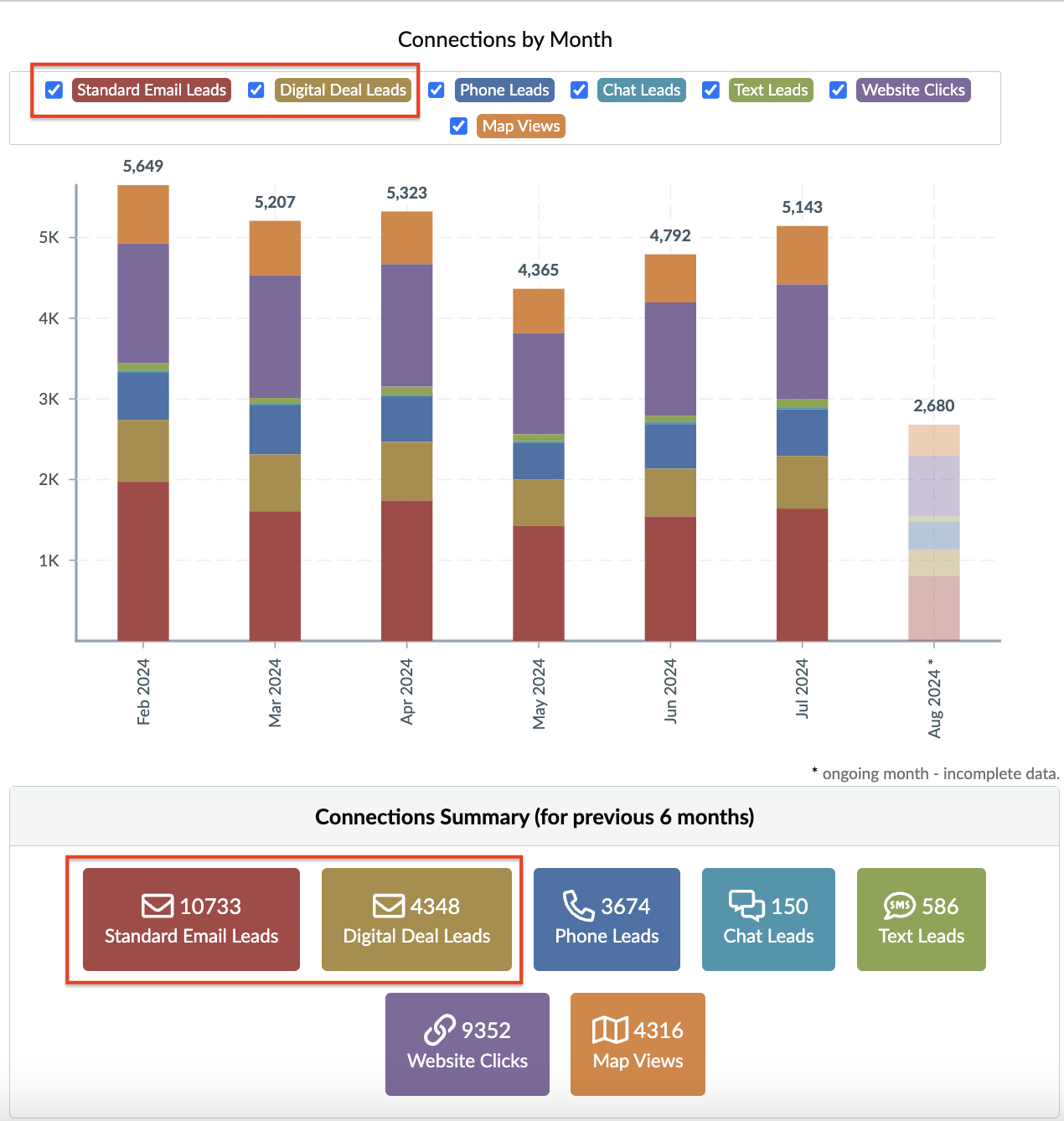
To provide full transparency into the type of leads you receive from CarGurus, Digital Deal email leads are now broken out from Standard Email leads on the Dashboard homepage Connection Summary, Lead reports, and SRP/VDP activity tabs.
Please contact your Account Manager if you have any questions about your Digital Deal performance or are interested in learning more about Digital Deal.
3. Highlight
Highlight is an inventory exposure product that Featured+ and Featured Priority+ dealers can add onto their Listings packages. It is our only product to select types of inventory to promote based on your marketing and sales strategy - whether that is
If you have Highlight, you can now
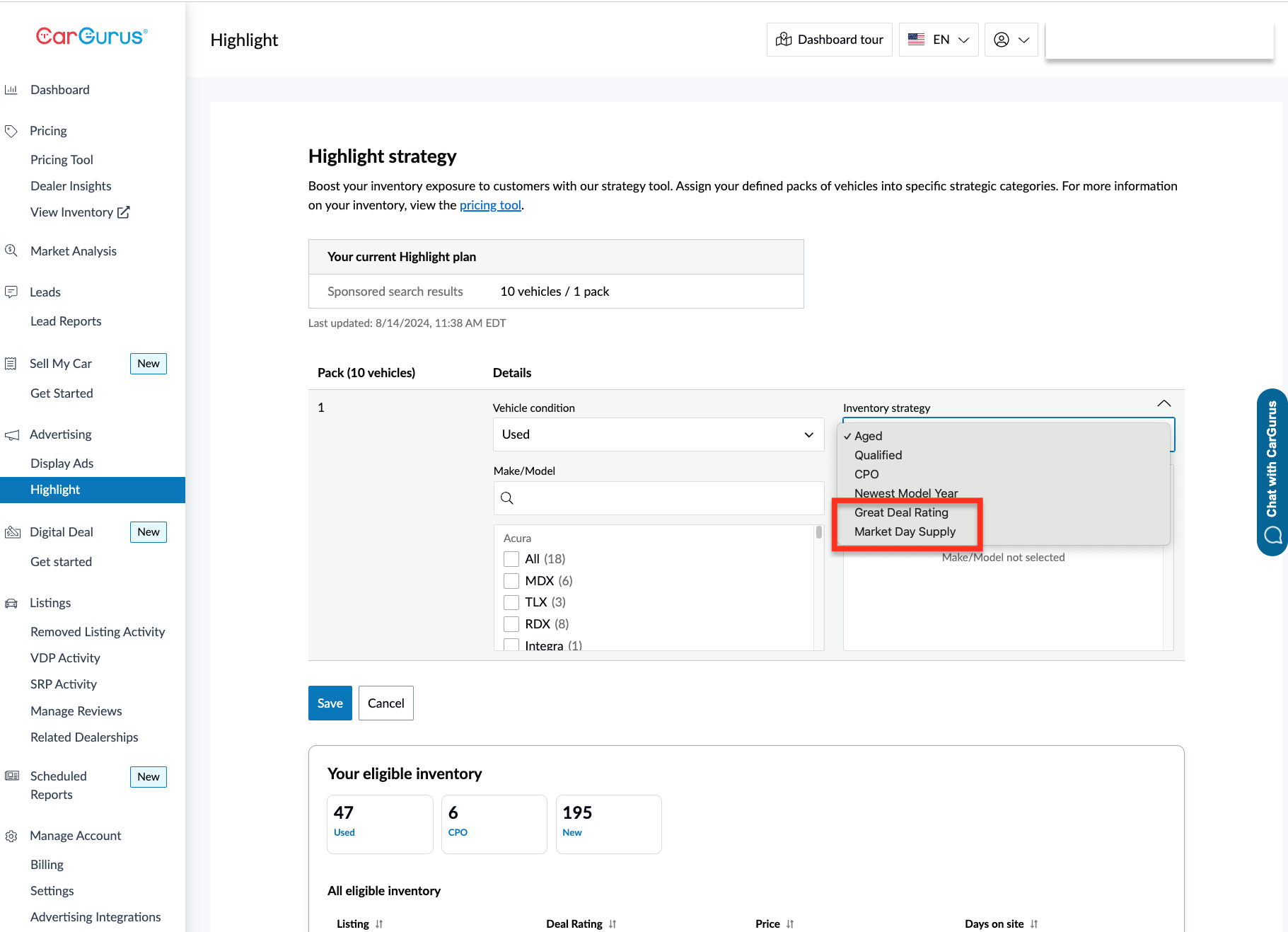
- Access the Highlight tab on the Dashboard navigation bar, instead of in Settings.
- Select from 2 additional inventory categories in the drop down menu:
- Great Deal Rating - Showcase your Great Deals, instead of a mix of Fair, Good, and Great Deals in Highlight spots.
- Coming Soon! Market Days Supply (MDS) - Promote your vehicles with the highest market days supply - or those facing the most competition in your market - to reduce your overall turn time.
- In a test with 10 stores of a large automotive dealer group, we saw ~60% increase in Highlight impressions for the highest MDS vehicles and a ~130% increase in total vehicles that saw impressions.
4. Self-guided tour
Whether you’re new to CarGurus or want a refresher on how to make the most of your Dashboard, you can now click through the self-guided tour. Click the top navigation bar to get started and we’ll walk you through the key features and benefits.

Sell My Car
For dealers using Sell My Car, here are updates you should know about:
1. Lite Offer Summary
You no longer need to log into the Dashboard to open up and view the Offer Summaries from your CRM; simply follow the link in the lead notes. Consumer contact information will be removed to ensure privacy compliance, but all vehicle and condition information will still be listed.
2. Intake Tool
All Sell My Car dealers now have access to a tool to update offers in a transparent manner to increase the likelihood of conversion and improve the customer experience. Open the tool on your mobile devices from the Dashboard, offer summary pages, or lead notes in your CRM to inspect vehicles and make real-time adjustments.